Editing a Job
Editing a job in Loome Integrate uses the same form and process as creating a job.
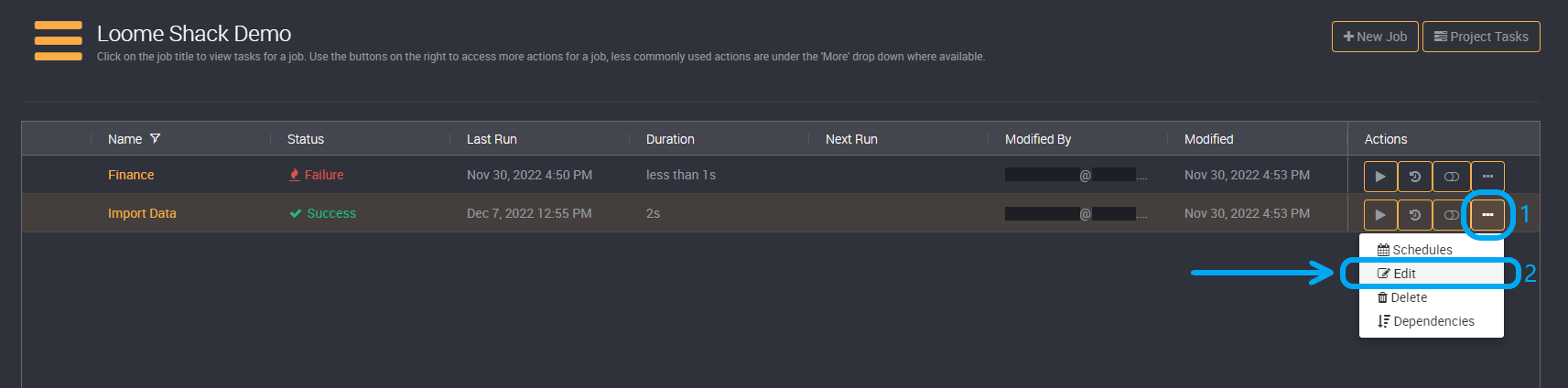
You can edit the details of a job by clicking on More in the action buttons on the right and then on Edit in the dropdown.
To learn about how to configure a job read the Adding a New Job documentation.