Databricks
Loome Integrate can execute Databricks jobs remotely using the Databricks API.
This means that by using Loome Integrate and Databricks, you are able to utilize the full power of the Apache Spark platform without configuring your own Hadoop Cluster.
Selecting your Cluster Configuration
Once you have selected the Databricks task type, you will need to select a cluster configuration that will be used to run the task. Loome Integrate provides two options, the first is to spin up clusters on the fly using pre-defined cluster definitions and the second is to run the job an existing cluster.
Using Cluster Definitions
Cluster definitions are used to spin up clusters with each Databricks job execution. These clusters are idled after the execution and can scale depending on their configuration. Using the Cluster Definitions page you can design blueprints for Loome Integrate to spin up clusters with.
Using Existing Clusters
If you have already created a cluster in your Databricks instance, you will be able to select it based on its ID from the Connection Clusters dropdown on the right.
Existing Databricks clusters can be used to run Databricks jobs, this can be considered the more cost effective option as no new clusters are spun up to facilitate the job.
Configure Databricks Job
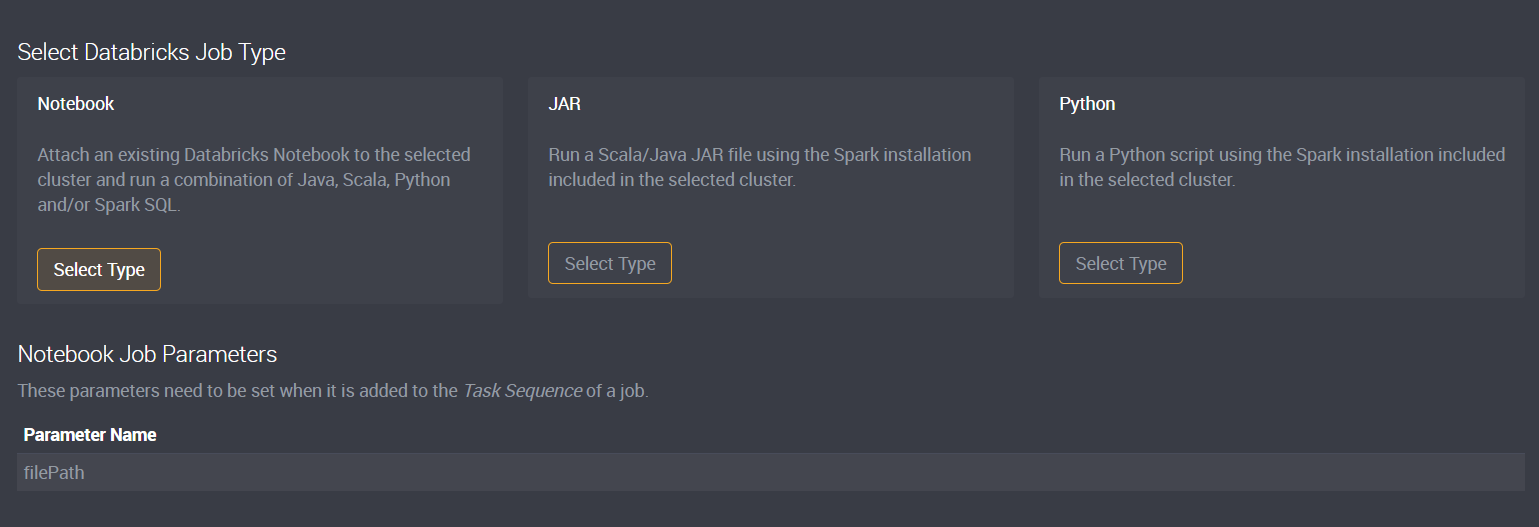
The Databricks Task Type supports three different types of configurations:
Notebook
Attach an existing Databricks Notebook to the selected cluster and run a combination of Java, Scala, Python and/or Spark SQL. This workload basically works in tandem with Databricks as you can edit notebook in the Databricks app and then schedule their execution as part of Loome Integrate jobs.
JAR
Run a Scala/Java JAR file using the Spark installation included in the selected cluster. This task configuration requires you to upload compiled JAR files in advance.
Python
Run a Python script using the Spark installation included in the selected cluster. This task is the same as the JAR task with the exception that Python scripts do not have to be compiled for usage with Spark.
Setting the Task Parameters
The Databricks task type requires additional configuration after submitting. We need to provide additional information for the task as parameters for the task.
Using parameters means that you can easily setup databricks tasks without needing to create new tasks for slightly different configurations.
Configuring the Notebook Type
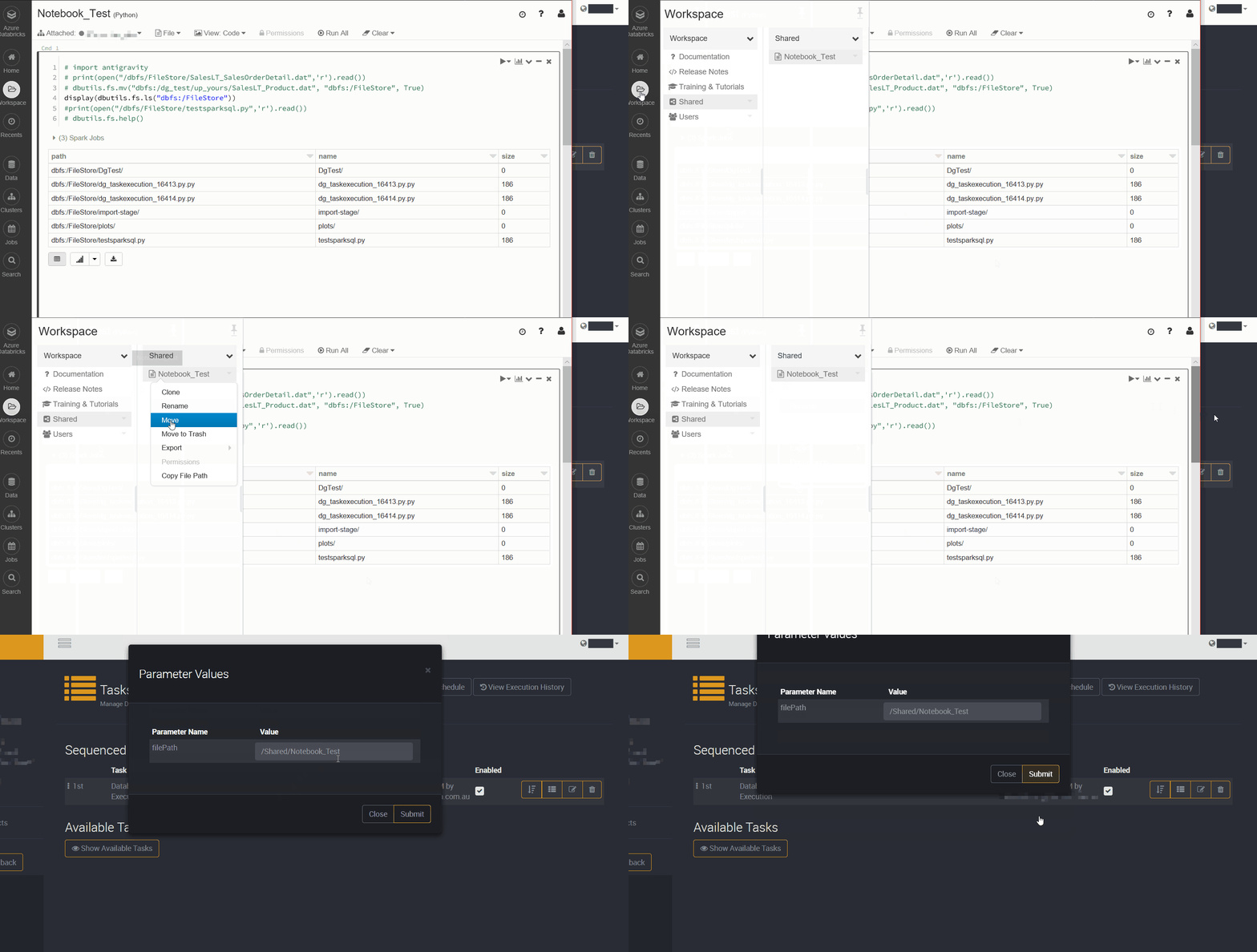
The Notebook task for Databricks is easy to configure, as all it needs is the filePath parameter of the notebook itself. As shown below this can easily be copied from the Databricks Workspace file explorer.
Configuring the JAR Type
The JAR type is more complex as it requires the path to the JAR file to execute on the DBFS as well as the entry class for the Spark job.
Databricks requires files stored on the DBFS to have their path prefixed with dbfs:/ (eg: dbfs:/User/Alex/test.jar).
Learn more about executing Spark JARS on Azure Databricks here.
Configuring the Python Type
The Python type is similar to the JAR type in the sense you need to provide a DBFS filepath for the Python file to execute.
Databricks requires files stored on the DBFS to have their path prefixed with dbfs:/ (eg: dbfs:/User/Alex/test.py).