Kepion Migration
Loome Integrate Online supports loading data into Kepion Planning from any source connection, allowing for the population of Kepion Fact and Dimension tables.
Connecting to Kepion Planning
When creating a Kepion Planning connection, the connection details are that of the Kepion Planning Application Database you wish to connect to.
It is recommended that when connecting to Kepion Planning that you use the Kepion Server Identity account to connect or a login with the same permissions.
Kepion Migration Setup
Unlike the standard Data Migration format of duplicating the source schema into the target schema, Kepion Migrations require the user to map a source table to the target Kepion Dimension or Fact.
When Kepion is selected as a target in a Data Migration, you will be prompted with a custom view for configuring the migration.
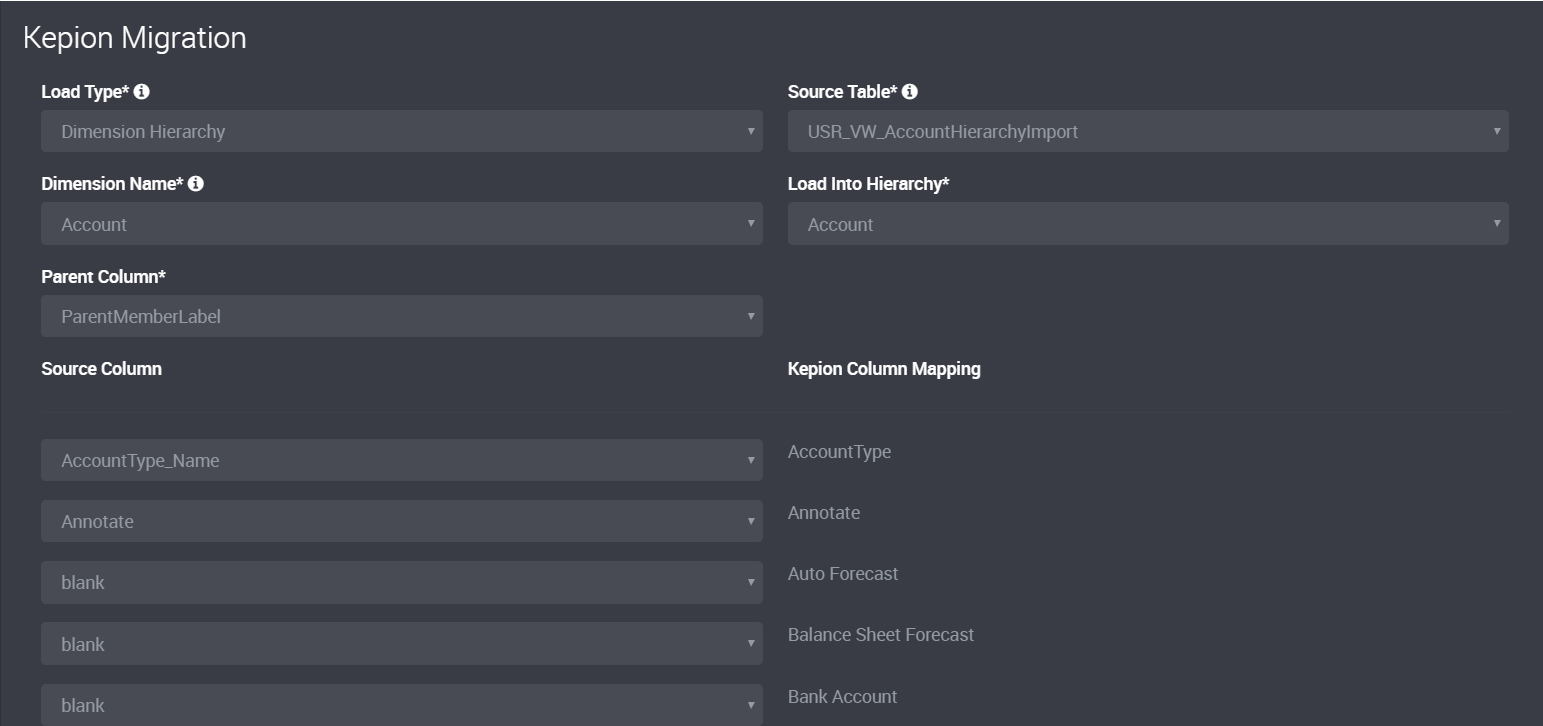
The Custom view will allow you to map the source columns to the Target Kepion Column Mapping.
Kepion Load Types
Kepion has 3 different Load types that are supported by Loome Integrate Online.
Dimension Hierarchy
A Dimension Hierarchy Load Type requires a Source Table, Dimension, Load Into Hierarchy and Parent Column
The Source Column of the Source Table can then be mapped to the Kepion Dimension Member
Dimension Member List
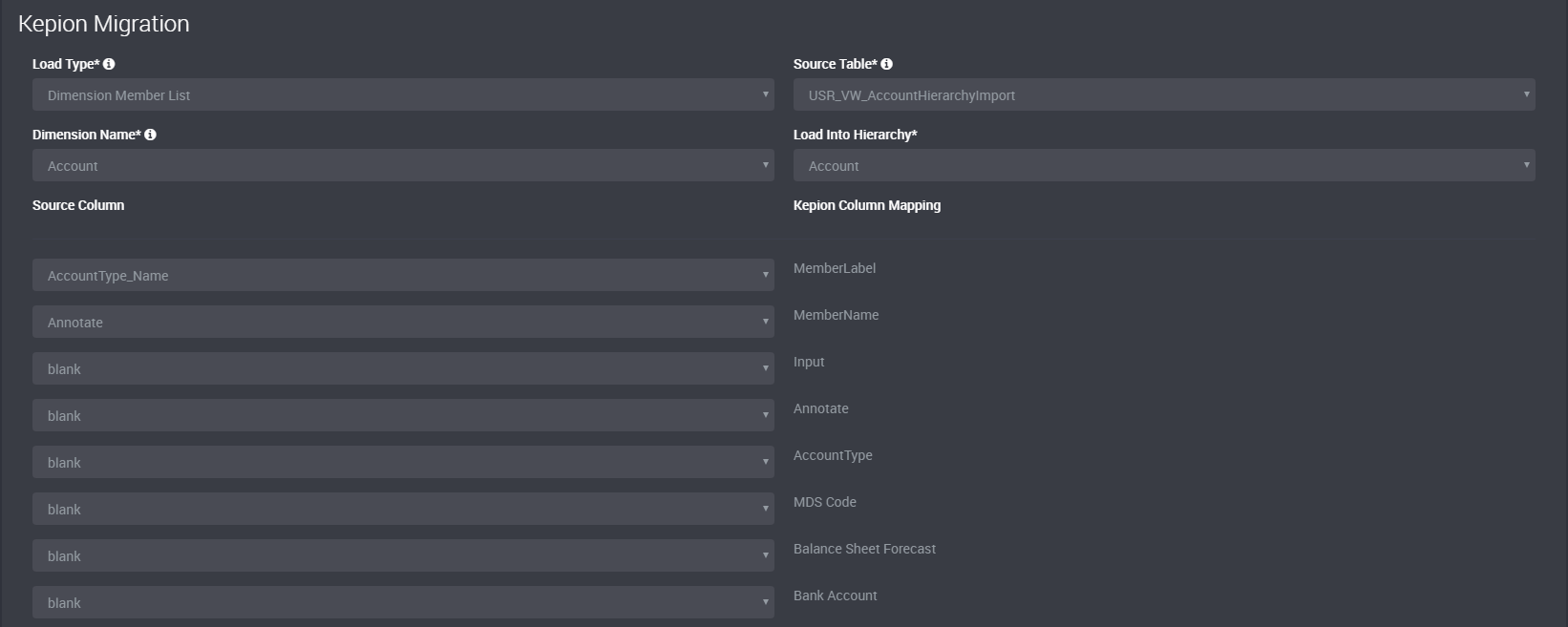
A Dimension Member List Load Type requires a Source Table, Dimension, Load Into Hierarchy
The Source Column of the Source Table can then be mapped to the Kepion Dimension Member
Static Partition Table
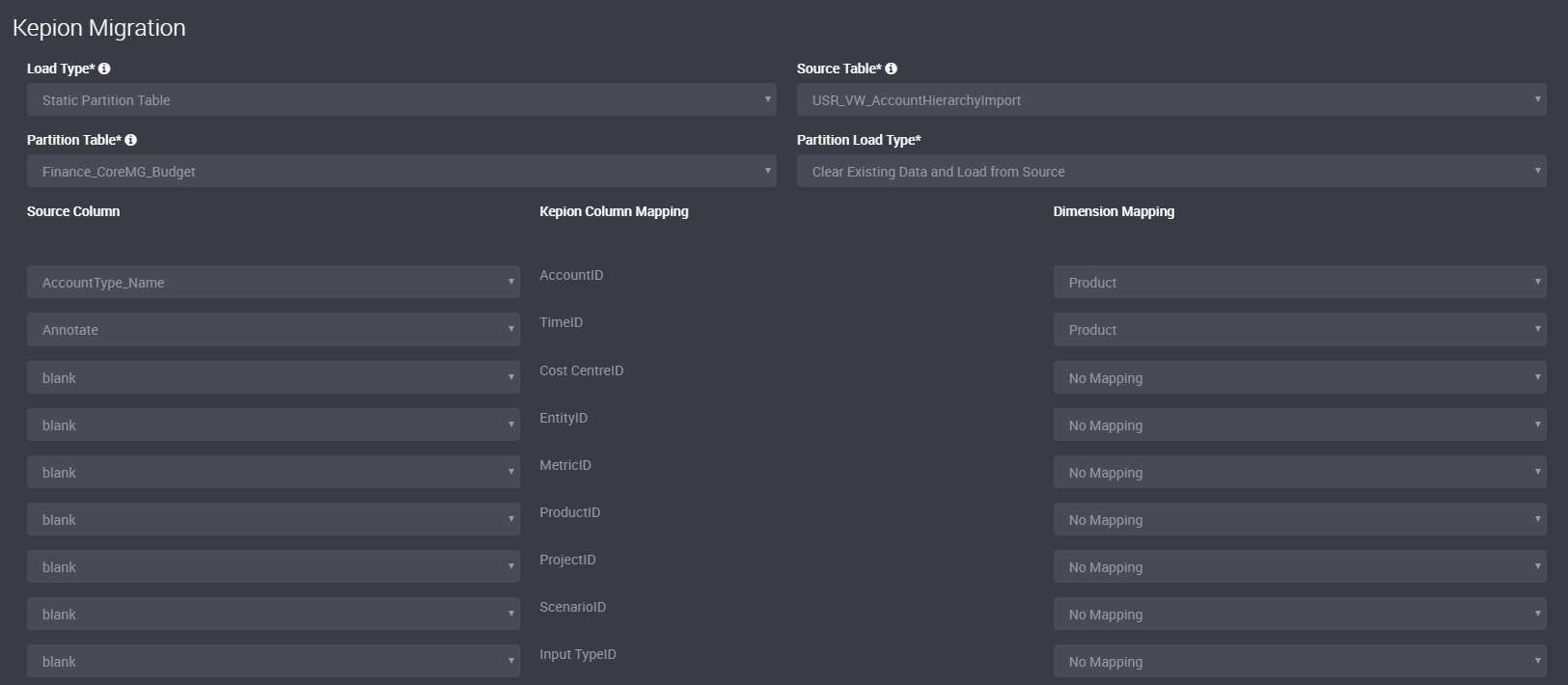
A Static Partition Table Load Type requires a Source Table, Partition Table, Partition Load Type
The available Partition Load type options are:
- Clear Existing Data and Load from Source
- Merge Data from Source (Insert New and Update Existing)
The Source Column of the Source Table can then be mapped to the Kepion Partition Table along with a Dimension Mapping.