How to Change the Timezone in Parquet
How Do I Set the Timezone when Exporting into Parquet
You can choose the offset of datetime columns in Parquet file definitions by using a configuration setting in the connection string. Learn more about datetime in Parquet here.
To change the timezone offset, you can add one of the following configuration settings to your connection string.
| Configuration Setting | Description |
|---|---|
ParquetDateTimeDataType=LOCAL; |
Exports inferring a datetimeoffset using the agents locale |
ParquetDateTimeDataType=UTC; |
Exports inferring a datetimeoffset of UTC |
ParquetDateTimeDataType=STRING; |
Exports a string literal of the datetime value |
You can find the default formats for datetime columns with no offset value here.
How to Add a Configuration Setting to your Connection String
Go to the Connections page.
Edit the connection that will be used for your Parquet file definition.

Click Next for the next page.
Copy your chosen data type configuration setting from the table above.
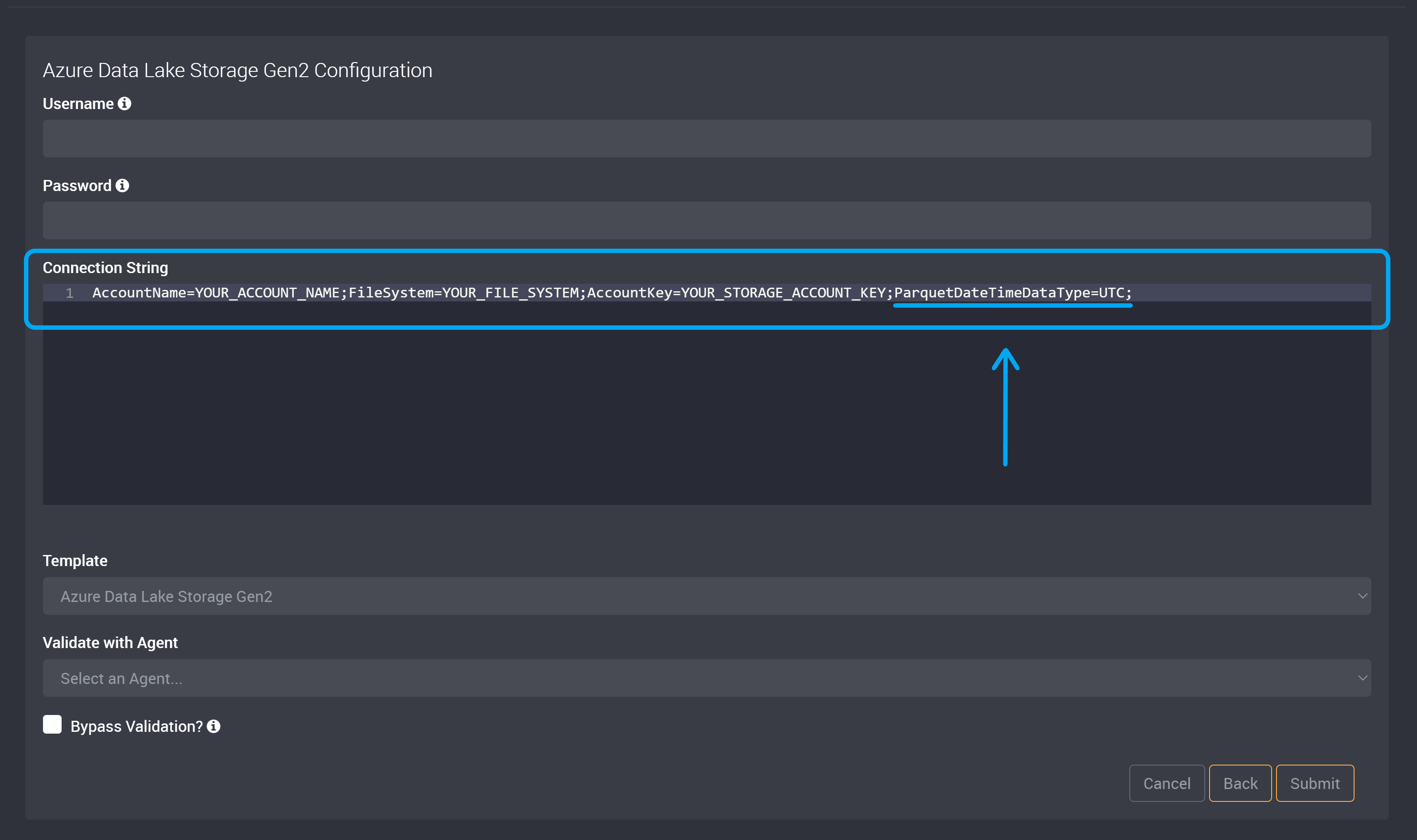
Paste or type in the configuration setting at the end of your connection string.
For example, the following connection string will make datetime columns with no offset have an offset of UTC, AccountName=YOUR_ACCOUNT_NAME;FileSystem=YOUR_FILE_SYSTEM;AccountKey=YOUR_STORAGE_ACCOUNT_KEY;ParquetDateTimeDataType=UTC;
Save and Submit your changes to this connection.