Token Refresh for 'connection name' failed
What Happened?
Issue:
You have received an email with the subject “Token refresh for ‘connection name’ failed”.
Impact:
Tasks using this connection will no longer succeed.
Root Cause:
This happens because an OAuth enabled connection cannot be refreshed with the respective connection API. Here are some common causes:
- An outage on the application platform, causing the sliding refresh token to expire.
- The refresh token issued by the application platform may have a hard expiry date.
- The refresh token has been revoked by the application platform.
How can you fix it?
Resolution
You will need to re-authorize the connection by following these steps:
- Navigate to the connections.
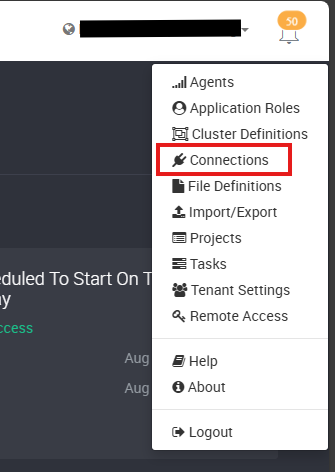
- Click Edit on the affected connection.

- Click on Manage Additional Security.
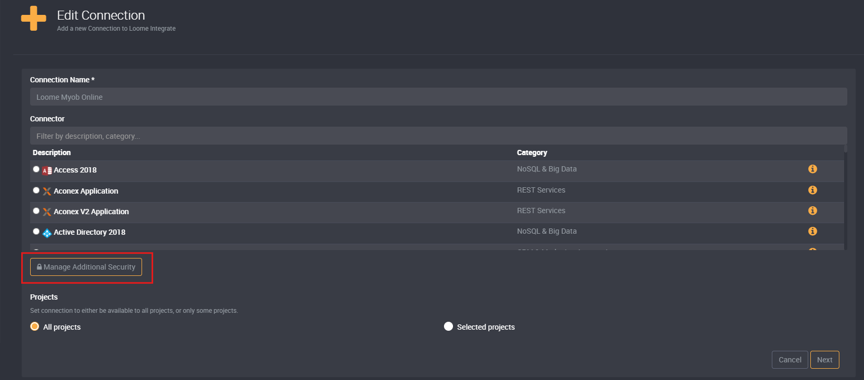
-
Click on Generate Redirect URI.
-
Click Authorize which is located on the bottom right.
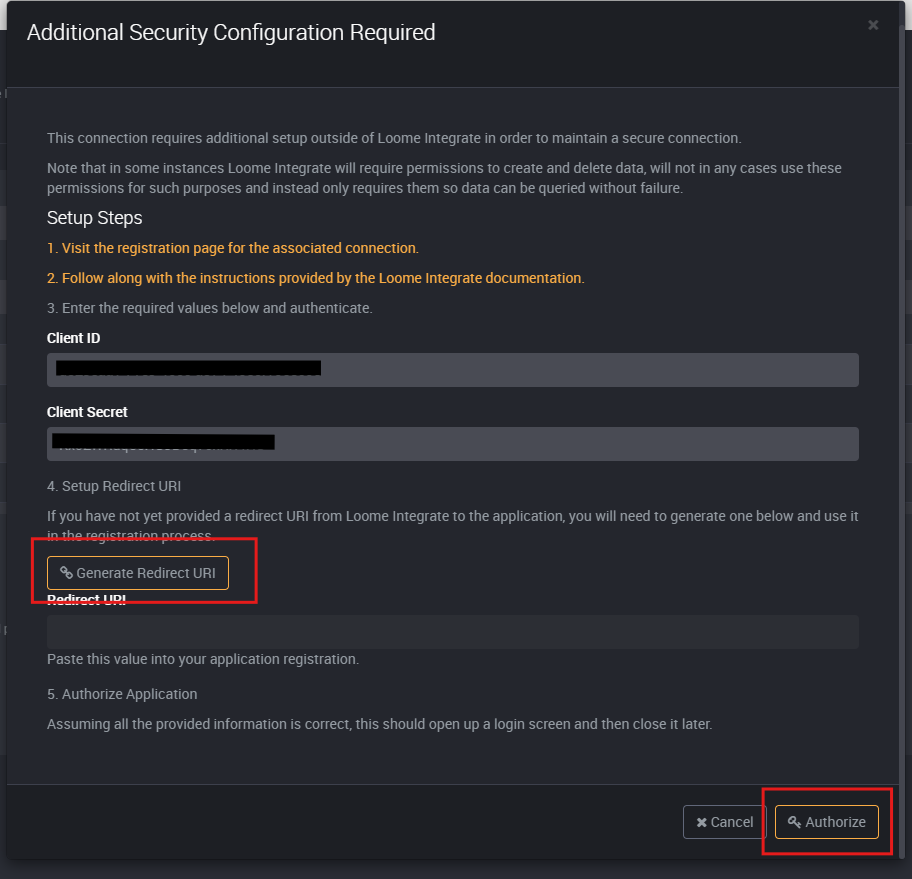
-
You will be redirected to the application platform consent page. Click on allow access.
-
You will be redirected back to Loome. Click on Continue on the popup model, then Next on the main page.
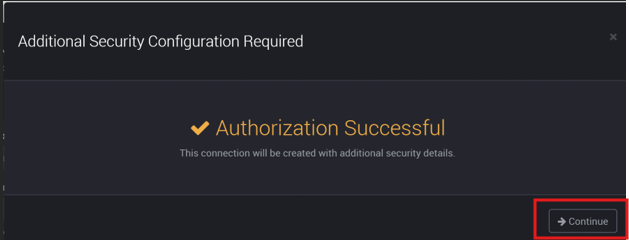
- Continue with the setup of your connection.