How to configure custom DNS in a Loome Container Instance
What Happened?
The Loome agent requires a custom DNS to be able to communicate with databases.
Issue:
Azure Container instances are designed to be self-contained images and do not allow changes to be made to the OS at runtime.
How can you fix it?
Resolution
You will need to update your container. You can do this by importing a YAML file to configure a custom DNS.
Follow these steps:
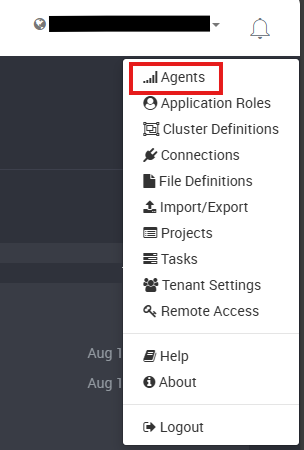
Navigate to the Agents page found in the top-right menu.
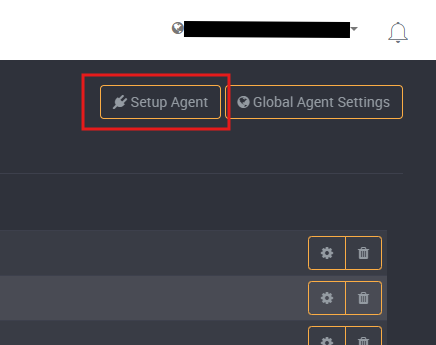
Click on Setup Agent at the top-right of the page.
Click on Azure Container Instances from the tabs on the left.
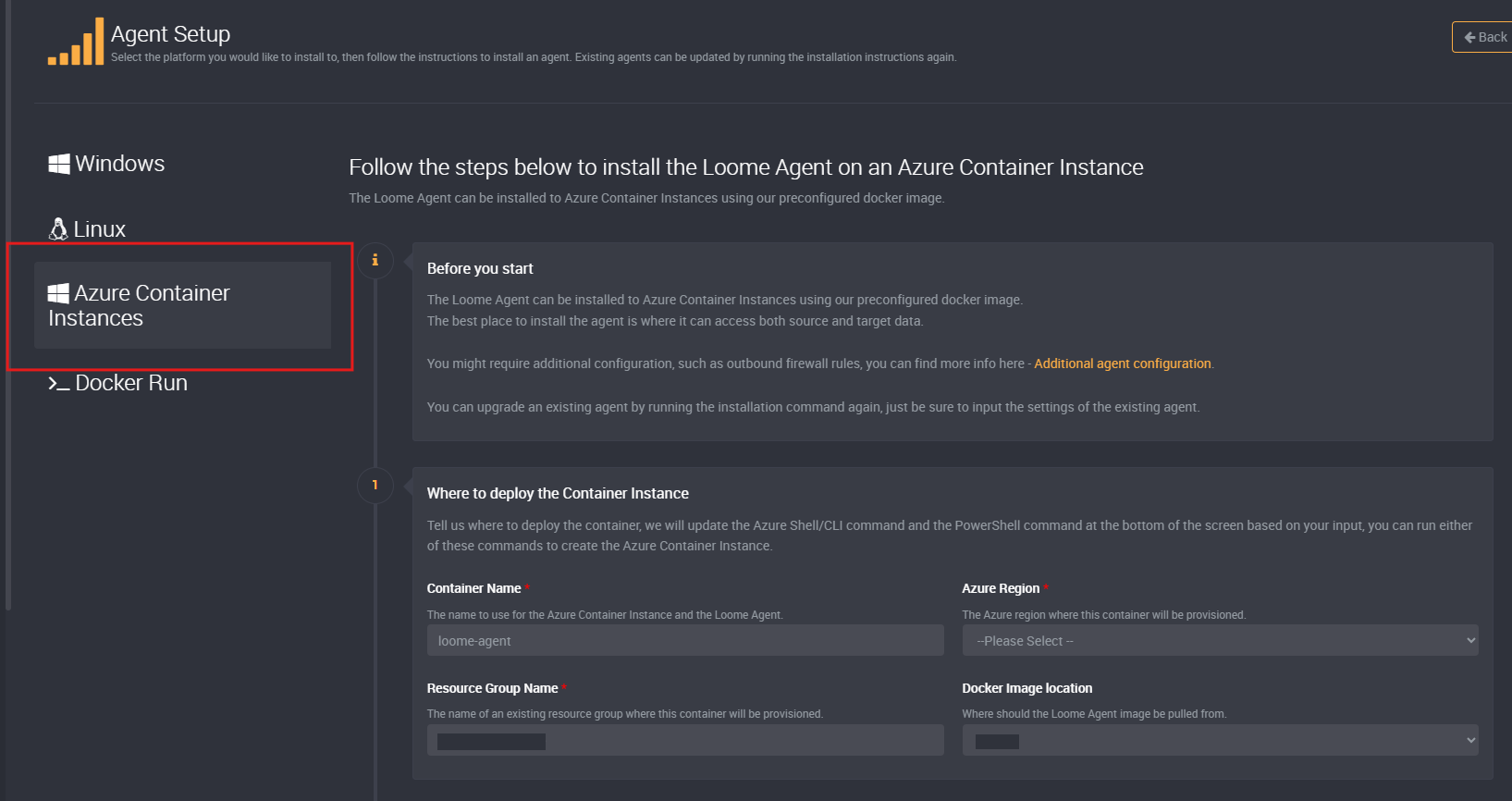
Fill out the required fields.
Deploy the agent via Azure CLI.

Rather than crafting a YAML file from scratch, you can use the az container export command to get a YAML file with all the settings of your existing container.
Open the YAML file via VSCode and add the custom DNS.
Please note that YAML is TAB sensitive.
After saving the changes, run an import command to update your container using the az container create command with the –file switch.
Learn More:
Additional information can be found at the following links.